Computer - Generations
Generation in computer terminology is a change in technology a computer is/was being used. Initially, the generation term was used to distinguish between varying hardware technologies. Nowadays, generation includes both hardware and software, which together make up an entire computer system.
There are five computer generations known till date. Each generation has been discussed in detail along with their time period and characteristics. In the following table, approximate dates against each generation has been mentioned, which are normally accepted.
Following are the main five generations of computers.
| S.No | Generation & Description |
|---|---|
| 1 | First Generation
The period of first generation: 1946-1959. Vacuum tube based.
|
| 2 | Second Generation
The period of second generation: 1959-1965. Transistor based.
|
| 3 | Third Generation
The period of third generation: 1965-1971. Integrated Circuit based.
|
| 4 | Fourth Generation
The period of fourth generation: 1971-1980. VLSI microprocessor based.
|
| 5 | Fifth Generation
The period of fifth generation: 1980-onwards. ULSI microprocessor based.
|
Computer - Types
Computers can be broadly classified by their speed and computing power.
| S.No. | Type | Specifications |
|---|---|---|
| 1 | PC (Personal Computer) | It is a single user computer system having moderately powerful microprocessor |
| 2 | Workstation | It is also a single user computer system, similar to personal computer however has a more powerful microprocessor. |
| 3 | Mini Computer | It is a multi-user computer system, capable of supporting hundreds of users simultaneously. |
| 4 | Main Frame | It is a multi-user computer system, capable of supporting hundreds of users simultaneously. Software technology is different from minicomputer. |
| 5 | Supercomputer | It is an extremely fast computer, which can execute hundreds of millions of instructions per second. |
PC (Personal Computer)
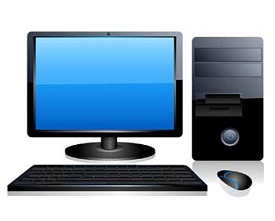
A PC can be defined as a small, relatively inexpensive computer designed for an individual user. PCs are based on the microprocessor technology that enables manufacturers to put an entire CPU on one chip. Businesses use personal computers for word processing, accounting, desktop publishing, and for running spreadsheet and database management applications. At home, the most popular use for personal computers is playing games and surfing the Internet.
Although personal computers are designed as single-user systems, these systems are normally linked together to form a network. In terms of power, now-a-days high-end models of the Macintosh and PC offer the same computing power and graphics capability as low-end workstations by Sun Microsystems, Hewlett-Packard, and Dell.
Workstation
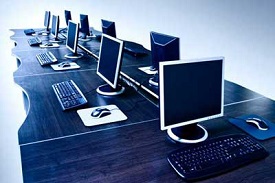
Workstation is a computer used for engineering applications (CAD/CAM), desktop publishing, software development, and other such types of applications which require a moderate amount of computing power and relatively high quality graphics capabilities.
Workstations generally come with a large, high-resolution graphics screen, large amount of RAM, inbuilt network support, and a graphical user interface. Most workstations also have mass storage device such as a disk drive, but a special type of workstation, called diskless workstation, comes without a disk drive.
Common operating systems for workstations are UNIX and Windows NT. Like PC, workstations are also single-user computers like PC but are typically linked together to form a local-area network, although they can also be used as stand-alone systems.
Minicomputer
It is a midsize multi-processing system capable of supporting up to 250 users simultaneously.
Mainframe
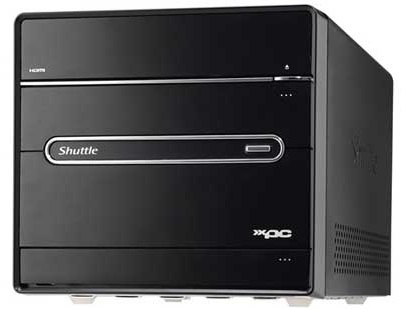
Mainframe is very large in size and is an expensive computer capable of supporting hundreds or even thousands of users simultaneously. Mainframe executes many programs concurrently and supports many simultaneous execution of programs.
Supercomputer
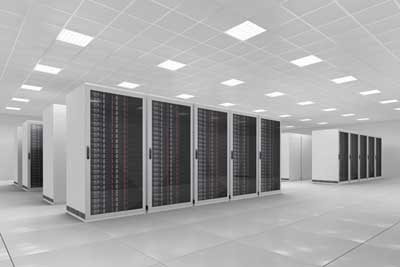
Supercomputers are one of the fastest computers currently available. Supercomputers are very expensive and are employed for specialized applications that require immense amount of mathematical calculations (number crunching).
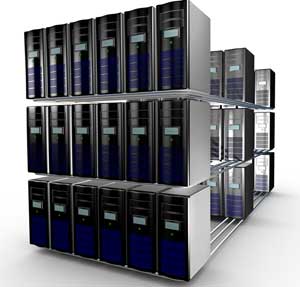
For example, weather forecasting, scientific simulations, (animated) graphics, fluid dynamic calculations, nuclear energy research, electronic design, and analysis of geological data (e.g. in petrochemical prospecting).
Computer - Components
All types of computers follow the same basic logical structure and perform the following five basic operations for converting raw input data into information useful to their users.
| S.No. | Operation | Description |
|---|---|---|
| 1 | Take Input | The process of entering data and instructions into the computer system. |
| 2 | Store Data | Saving data and instructions so that they are available for processing as and when required. |
| 3 | Processing Data | Performing arithmetic, and logical operations on data in order to convert them into useful information. |
| 4 | Output Information | The process of producing useful information or results for the user, such as a printed report or visual display. |
| 5 | Control the workflow | Directs the manner and sequence in which all of the above operations are performed. |
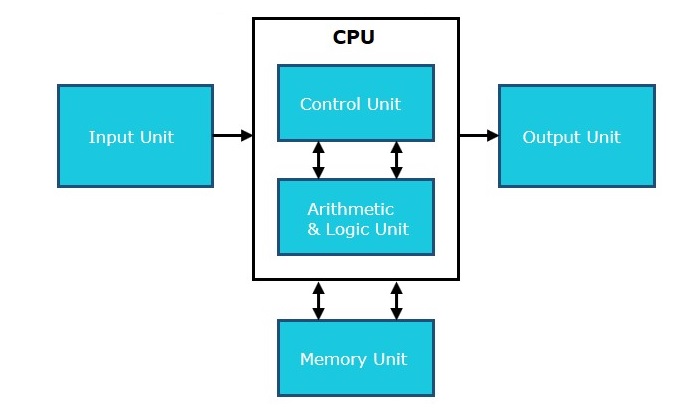
Input Unit
This unit contains devices with the help of which we enter data into the computer. This unit creates a link between the user and the computer. The input devices translate the information into a form understandable by the computer.
CPU (Central Processing Unit)
CPU is considered as the brain of the computer. CPU performs all types of data processing operations. It stores data, intermediate results, and instructions (program). It controls the operation of all parts of the computer.
CPU itself has the following three components −
- ALU (Arithmetic Logic Unit)
- Memory Unit
- Control Unit
Output Unit
The output unit consists of devices with the help of which we get the information from the computer. This unit is a link between the computer and the users. Output devices translate the computer's output into a form understandable by the users.
Computer - CPU(Central Processing Unit)
Central Processing Unit (CPU) consists of the following features −
- CPU is considered as the brain of the computer.
- CPU performs all types of data processing operations.
- It stores data, intermediate results, and instructions (program).
- It controls the operation of all parts of the computer.
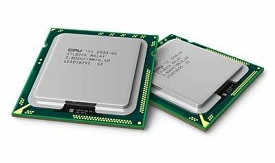
CPU itself has following three components.
- Memory or Storage Unit
- Control Unit
- ALU(Arithmetic Logic Unit)
Memory or Storage Unit
This unit can store instructions, data, and intermediate results. This unit supplies information to other units of the computer when needed. It is also known as internal storage unit or the main memory or the primary storage or Random Access Memory (RAM).
Its size affects speed, power, and capability. Primary memory and secondary memory are two types of memories in the computer. Functions of the memory unit are −
- It stores all the data and the instructions required for processing.
- It stores intermediate results of processing.
- It stores the final results of processing before these results are released to an output device.
- All inputs and outputs are transmitted through the main memory.
Control Unit
This unit controls the operations of all parts of the computer but does not carry out any actual data processing operations.
Functions of this unit are −
- It is responsible for controlling the transfer of data and instructions among other units of a computer.
- It manages and coordinates all the units of the computer.
- It obtains the instructions from the memory, interprets them, and directs the operation of the computer.
- It communicates with Input/Output devices for transfer of data or results from storage.
- It does not process or store data.
ALU (Arithmetic Logic Unit)
This unit consists of two subsections namely,
- Arithmetic Section
- Logic Section
Arithmetic Section
Function of arithmetic section is to perform arithmetic operations like addition, subtraction, multiplication, and division. All complex operations are done by making repetitive use of the above operations.
Logic Section
Function of logic section is to perform logic operations such as comparing, selecting, matching, and merging of data.
No comments:
Post a Comment